Move between client families without losing your place
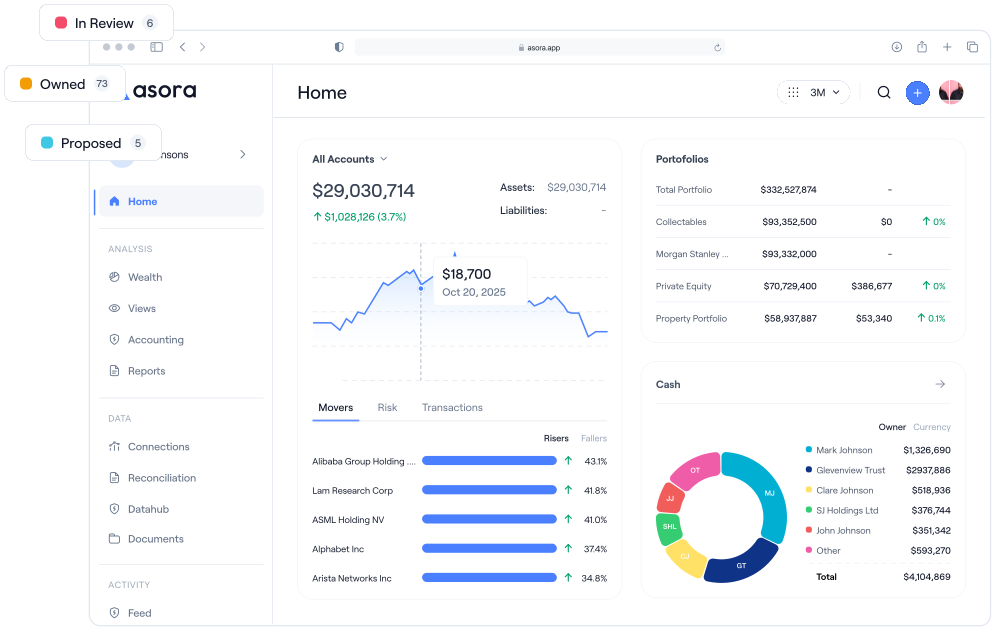
Advisor Hub gives multi-family office teams a cross-family landing, gain/loss views and BI reports, plus one-click context switching into any family's wealth map, with each family's data kept strictly separate.
Sound familiar?
What’s broken today
- You open five tabs to compare three client families and lose track of which one you're in
- Gain/loss across the book lives in someone's spreadsheet, refreshed when they have time
- Adding a new custodian connection means a separate trip into each family's tenant
And this is for you if…
- MFO partners and heads of operations administering many client families
- Investment teams running performance reviews across multiple mandates
- Client-service leads coordinating onboarding, connections and reporting at scale
Cross-family client list, sortable in one glance
A single landing surface listing every family the advisor administers, rendered as cards sortable by name, owner / entity count, or total assets. Clicking a card opens a contextual family modal with a drill-into wealth-map for that family.
- Every administered family on one screen
- Sort by name, owners, entities or total assets
- Drill into the wealth map without losing context
Gain/loss and BI reports scoped to the advisor's book
Dedicated cross-family gain/loss view with a summary component integrated into the accounting workflow, plus Bold BI reports per-tenant provisioned and scoped to the advisor's clients.
- Cross-family gain/loss summary
- Bold BI reports, per-tenant provisioned
- Same Modified Dietz + TWR + XIRR maths the SFOs use
Connections, monitoring and notifications in one place
Manage Plaid, SaltEdge, Akoya and Acsiss custody connections across clients, with portfolio-monitor and connection-expiration events delivered via email, SMS and push from a single notification event.
- Four live custody integrations (Plaid, SaltEdge, Akoya, Acsiss)
- Manager-specific parsers (Barclays, BIL, Brewin)
- Multi-channel alerts: email, SMS and push from one event
Permissions and segregation, enforced by design
Advisor Hub is gated by the Adviser navbar module and the PublicAssets / PublicAssetsEdit app-permission scope. Each client family is tenant-isolated; permissions are stored as JSON-payload aggregates so per-tenant custom scopes can be added without schema change.
- Tenant-level data isolation per client family
- Enterprise SSO (Azure AD / OIDC) and MFA (SMS + push)
- Immutable audit trail with cross-service correlation IDs
What good looks like with Asora
One advisor productively serves more client families
Performance, gain/loss and BI use the same numbers every family sees
New custodian connections and ingest events handled in one workflow, not many
Frequently asked
How are client families kept separate inside Advisor Hub?
Every family is its own tenant. Permissions are enforced at the application layer with JSON-payload scopes, and the advisor only sees the families their PublicAssets / PublicAssetsEdit scope authorises. Switching context is explicit, with no co-mingling of data between families on screen.
Can each family see a branded portal?
Yes. Branded client portals are part of the multi-family setup. Each family's portal carries your logo, configured by our team during onboarding.
Is advisor activity logged per client family?
Every action is recorded in the immutable audit trail with actor and correlation IDs across services. The 'acting on behalf of' attribution field is defined in the audit schema; we will surface it in the audit UI once it is populated by all command handlers.
Which alerts are wired today?
Portfolio-monitor events and connection-expiration warnings ship today across email, SMS and push. Additional event types (capital-call arrivals, distribution receipts, LTV breaches) sit on the same notification infrastructure and are being added as standard events.
 ISO 27001 Certified
 GDPR Compliant