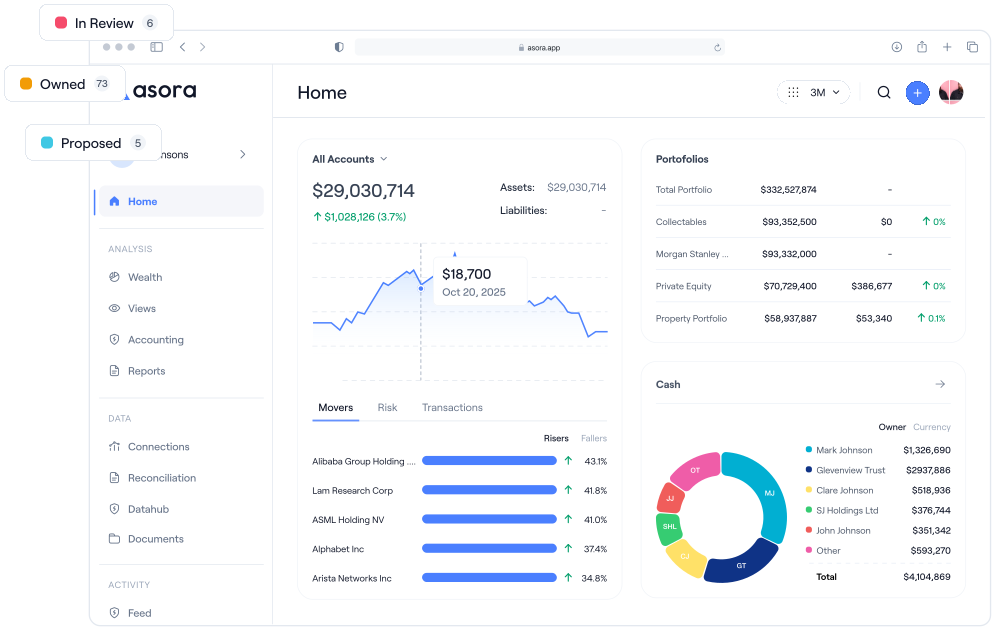
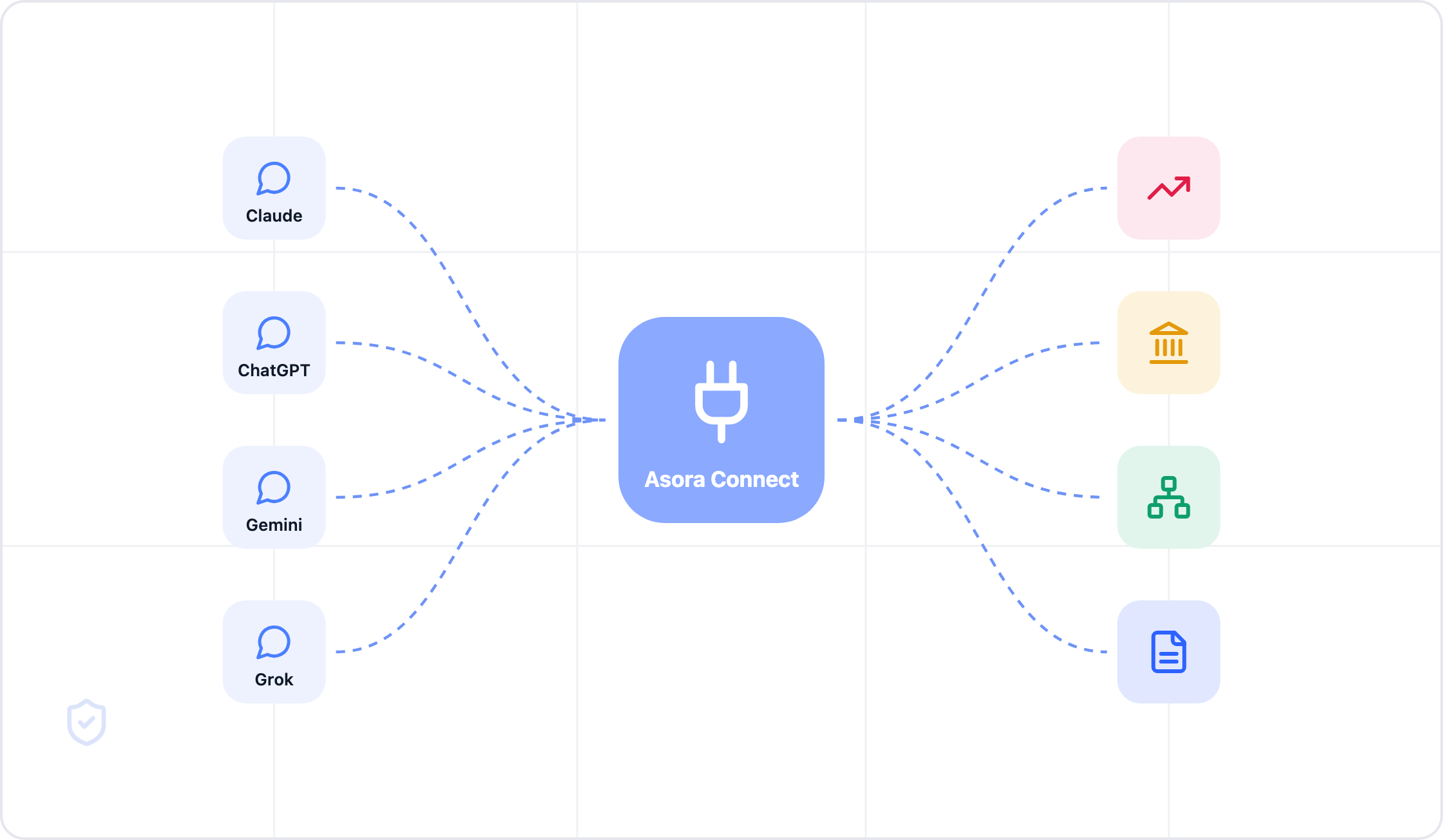
Asora Connect brings your Asora data into the AI assistant you already use: Claude, ChatGPT, Gemini, Grok or any other assistant that supports MCP. You ask in plain words. Asora answers from your reconciled ledger, within your own permissions.
It has been live since June 2026. It reads your figures, prepares reports and dashboards, and makes changes to your records. Asora shows you every change first and saves it only when you confirm.
This article shows what that means in practice, with five examples from an invented family.
What MCP is, in plain words
MCP stands for Model Context Protocol. It is an open standard that AI assistants use to reach data and services outside the chat. Anthropic introduced it in November 2024, and the main AI assistants now support it.
Asora Connect is Asora's MCP connector. Because MCP is an open standard, three things follow for you:
- You choose the assistant. Use the one your office already pays for and knows.
- You can change it later. Your Asora data is not tied to one AI provider.
- Every assistant reads the same data. All of them reach the same connector and the same reconciled ledger, under the same rules.
Five things you can do from your assistant
Each example shows a question, the part of Asora that answers it, and the result. The figures belong to an invented family and are for illustration only.
1. A morning check
The problem: a quick question about net worth or cash should not need a login, three screens and an export.

Asora Connect reads the net worth statement and the cash balances for the family you choose, consolidated across every entity, bank and currency. It also compares today with any earlier date, so you see what changed since then.
What you gain: the answer arrives in the same chat as your emails and meeting notes. Asora calculates every figure, and the assistant reports it.
2. Ready for the family meeting
The problem: preparing a family meeting can take days. Someone pulls the performance, checks it against the benchmark, builds the allocation view and formats the report.

Asora Connect returns time-weighted performance against your chosen benchmark and the current allocation. It then produces the report from your office's own Asora template, as a PDF, Word, Excel or PowerPoint file, and saves it to your Asora download centre. It can also propose a dashboard for the meeting. You open it in Dashboard Studio, where the data loads under your own permissions.
What you gain: the pack follows your own template, so it looks the same every quarter, and every figure comes from the ledger.
3. Private markets
The problem: private equity data sits in capital call notices, distribution notices and quarterly statements. A simple question about uncalled capital often means opening a spreadsheet.

Asora Connect reads commitments, calls and distributions from Asora. It returns the uncalled amount, what was called since the last valuation, and IRR, DPI and TVPI for each fund. IRR covers each fund's whole life, after the fees recorded in Asora, in the currency you choose.
What you gain: you see how much your commitments may still call, next to how each fund is performing, without rebuilding the figures yourself.
4. A new loan
The problem: a new loan affects cash flow for years. Comparing two interest rates and then entering the loan correctly takes time.

Asora Connect simulates the repayment schedule at both rates without saving anything. When you are ready, it prepares the loan as a preview. You check the details and confirm. Asora then saves the loan, reads it back and records the change against your name.
What you gain: you compare the options and record the decision in one conversation, and nothing reaches your records until you say so.
5. Getting data in and keeping it right
The problem: typing statement rows into a system by hand is slow and causes errors. Positions that differ from the bank often go unnoticed until the quarter end.

Asora Connect prepares the statement rows as a preview and checks for rows the bank feed has already delivered, so nothing is counted twice. After you confirm, it compares your positions with the bank and flags any difference. It can also update the family structure, for example by recording a new relationship.
What you gain: fewer hours of data entry, no double counting, and differences found when they happen, not at the quarter end.
Everything Asora Connect can reach
The five examples use only part of Asora Connect. It reaches the main areas of Asora, from net worth and performance to loans, family structure, reports and documents.

Asora adds new areas regularly.
Skills and the Asora Intelligence plugin
Asora Connect gives your assistant access to your data. Skills give it written instructions for family office tasks, such as importing a statement or writing a report.
A skill is a set of instructions, templates and reference files for one kind of task. The assistant loads a skill only when a task needs it. A skill gives no access to data: each person still sees and changes only what their Asora permissions allow.
The Asora Intelligence plugin is available for Claude first. It installs the Asora Intelligence skills and the connection to Asora Connect in one step. Four skills are live:
- Assistant: answers questions about using Asora, with links to Knowledge Hub articles.
- Add Grid companion: prepares, checks and imports data, and explains any row that fails.
- Org Chart companion: finds people and entities, traces ownership and prepares ownership changes for you to apply.
- Flash report writer: turns a question into a PDF report with charts, tables and source notes.
You do not need the plugin to use Asora Connect. Every example in this article works with Asora Connect alone, in any assistant that supports MCP.
Your own connectors stay yours. In one chat you can pull a family's figures from Asora and your own notes from Google Drive. The connectors you set up in your assistant stay under your control, and they never reach into Asora.
Works with the assistant you already use
Asora Connect works with Claude, ChatGPT, Gemini, Grok and any other assistant that supports MCP. It is one connector for all of them. Every assistant reads the same data, follows the same rules and makes changes in the same way.
Each person connects under their own Asora login. A principal, a family office team member, an accountant and a trustee can each use their own assistant, and each sees only what Asora allows them to see.
Built to be trusted
Asora Connect follows the same rules as the rest of Asora.

- It sees only what you can see. Same login, same permissions, down to the entity, account or asset.
- It works in one family at a time. If you work for several families, the assistant confirms which family you mean before it reads or changes anything.
- Every change is previewed. Asora shows you the change first and saves it only when you confirm. If the result of a change is unclear, the assistant reads the record back before it tries again.
- Every step is logged. Asora records each request and each change against the person who made it.
- Personal details stay protected. Email addresses, phone numbers, birth dates and home addresses are shared only when you ask for them. Government ID numbers and sign-in details are never shared.
- Documents cannot give instructions. Asora Connect tells the assistant to treat the text inside your documents and records as data, never as instructions to follow.
- It never moves money, and it gives no investment advice. It finds, explains and prepares. You decide.
- Your data does not train AI models. Asora never uses your prompts or data for training. Once an answer reaches your assistant, your provider's terms apply, which is why we recommend team or enterprise plans, such as Claude or ChatGPT Team or Enterprise.
- It has the same security as Asora. ISO 27001 certified, GDPR compliant, encrypted at rest and in transit, with multi-factor sign-in. Read more on our security page.
- You can disconnect at any time.
Setting it up
Office staff connect in four steps:
- Add Asora Connect in your assistant.
- Sign in with your Asora login.
- Choose the families (owner groups) you want to work with.
- Ask your first question.
For principals and families, the Asora relationship team sets it up with them, so they can ask their first question the same day.
Asora Connect has no extra fee today, with fair usage. The AI runs on your own plan with your assistant's provider. Asora publishes its pricing.
FAQ
What is Asora Connect?
Asora Connect is Asora's connector for AI assistants, built on the open Model Context Protocol (MCP). It brings your reconciled Asora data into Claude, ChatGPT, Gemini, Grok and any other assistant that supports MCP. It has been live since June 2026.
Which AI assistants does Asora Connect work with?
Claude, ChatGPT, Gemini, Grok and any other assistant that supports MCP. It is one connector, so it works the same way in each of them.
Can my assistant make changes in Asora?
Yes, in any of these assistants. It can record valuations, transactions, loans and imports, and update your family structure. Asora shows you each change first, saves it only when you confirm, and records who made it and when.
Does the AI calculate my returns?
No. Asora's performance engine (Modified Dietz, geometric TWR and XIRR) and asset-level accounting calculate your returns, gains and income. The assistant finds those figures and explains them.
Is my data safe?
Asora Connect sees only what your own Asora login allows, works in one family at a time, and records every request and every change. Asora is ISO 27001 certified and GDPR compliant, and your data is encrypted at rest and in transit. You can disconnect at any time.
Will my data be used to train AI models?
Not by Asora. Asora never uses your prompts or data for training. Once an answer reaches your own assistant, your provider's terms apply. On team and enterprise plans, such as Claude or ChatGPT Team or Enterprise, the provider excludes your data from training by contract.
Do I need the Asora Intelligence plugin to use Asora Connect?
No. Asora Connect works on its own in any assistant that supports MCP. The Asora Intelligence plugin, available for Claude first, adds the Asora Intelligence skills in one install.
Can our advisors use Asora Connect too?
Yes. Each advisor, trustee or accountant connects under their own Asora login, sees only what they are allowed to see. Asora records every action against the person who took it.
What does Asora Connect cost?
Asora Connect has no extra fee today, with fair usage. The AI runs on your own plan with your assistant's provider. Asora publishes its pricing: a flat annual subscription in tiers set by net worth, with unlimited users on every plan.
How do we get started?
If you are an Asora client, ask your Asora contact to switch on Asora Connect. If you are new to Asora, book a demo and we will show you Asora Connect working with your assistant.
Getting started
Already an Asora client? Ask your Asora contact to switch on Asora Connect.
New to Asora? Book a demo and we will show you Asora Connect answering questions, preparing a report and recording a change in your assistant.
About Asora
Asora is family office software that brings every account, entity, asset class and currency into one reconciled ledger. Adam Cleland founded the company in Dublin in 2021. Family offices and high net worth families across North America, Europe and Asia-Pacific use Asora, supported by teams in Europe and the US. Asora is ISO 27001 certified and GDPR compliant.



 ISO 27001 Certified
 GDPR Compliant